
1. Product Services Best Practices
In this page, you can check the best practice for all the services related to product.
**Product V1 services will be unvalid starting from 15th October 2026. You need to finalize Product V2 service developments on your end.
Product Create
Before product creation, you need to check Trendyol brand list, Trenyol category list, and Trendyol category attribute list, and make your mapping according to the results.
- You should use the Trendyol Brand List Service to be able to check the brands available on Trendyol.
- You should use the Trendyol Category List Service to be able to check the categories available on Trendyol.
- You should use the Trendyol Category Attribute List Service to be able to check the category attributes available on Trendyol.
After getting the necessary information, related to your product, you should use Product Create Service to send your products to the Trendyol system.
Product Update
If you would like to update the product information, it is better to check Product Filter Service to be able to get latest data of your product as you will send the full data.
You can easily update any information except "barcode" if the product is not approved. But, there are some limitations to update approved products;
- You cannot update if the attribute value which slicer is true
- You cannot update if the attribute value which varianter is true
HTML Content Description
- It should be basic HTML content. (js files, styles, should not be included)
- It can be maxiumum 30k and min 4k characters (If character below 4k, It should contain "img>" tag)
- Iframe content is not supported.
Varianted Product Create
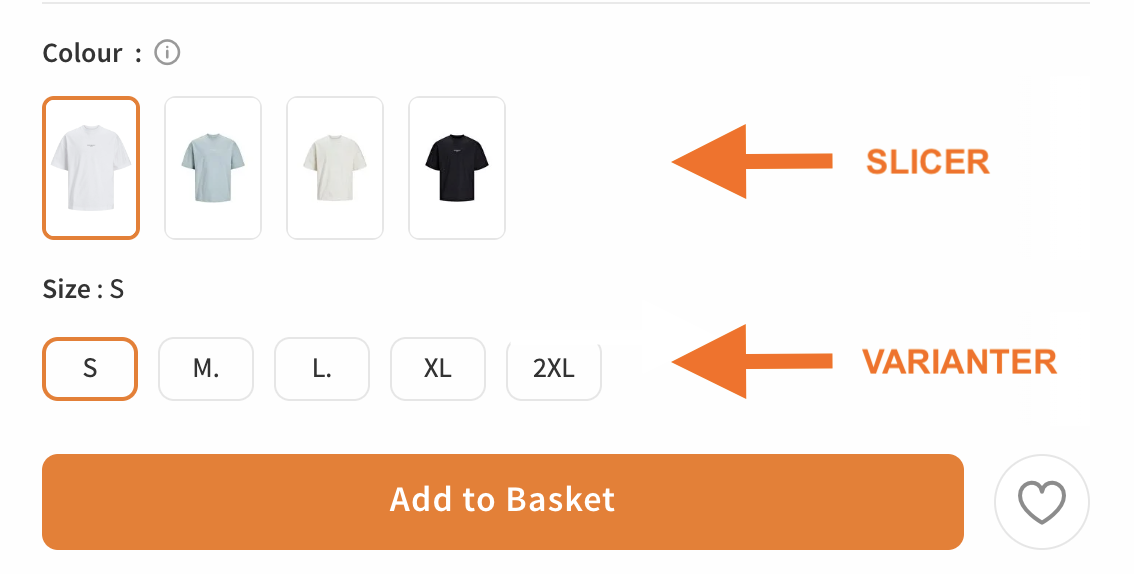
The product variantation process is based on the 'productMainId' value. The 'slicer' and 'varianter' values should be checked through the relevant category attribute service.
- To be able to variant a product, all values except the barcode, the attribute values to be varianted, price, stock, vatRate, stockCode, shipmentAddressId, returningAddressId, dimensionalWeight, lotNumber, locationBasedDelivery, deliveryOptions must be kept the same for the relevant product.
Product Variant Creation by Slicer Value (Product color value, product memory value, etc.)
The product is opened in different contents, and the most commonly used value as a Slicer in the system is color. However, in electronic categories, for the product to be opened in different contents (such as internal memory), it can be used as a Slicer value. (The category attribute service should return slicer=true.)
- In a category, there can be multiple slicer values.
- Since the slicer value opens the product in different contents, it can be used as a variant.
Product Variant Creation by Varianter Value (Product size value, etc.)
These are different sizes of the same product listed within the same content. It does not open the product in different contents. Only one variant can be selected for each category.
- Multiple selections are not allowed.

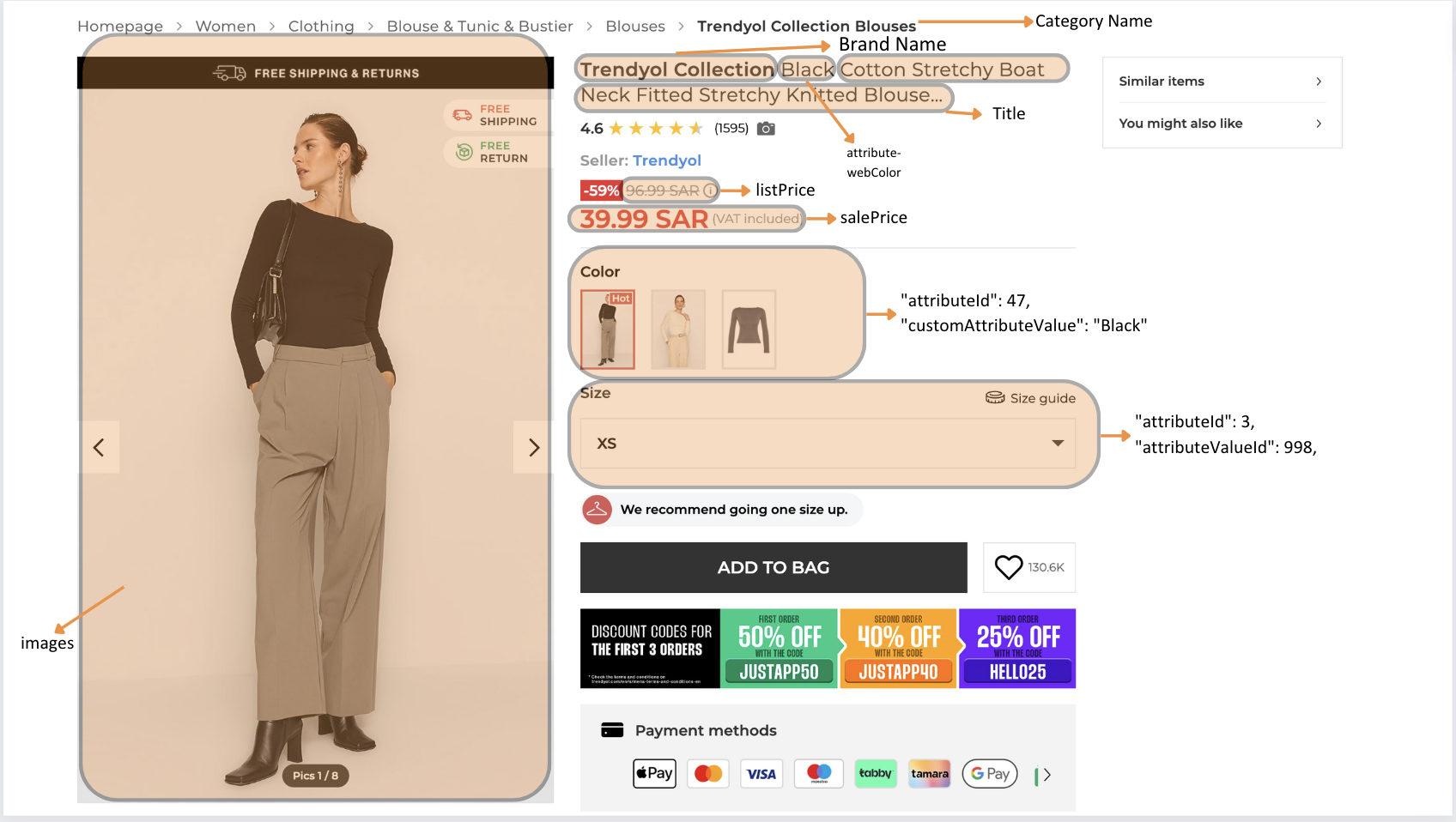
Product Information on trendyol.com
You can check how your product information shown in the pdp page below;

Updated 7 days ago